The terminal is a text window that talks to your computer.
You type a short instruction called a command and press Enter. That is the whole magic trick. Grok and Codex are parallel examples of agents you can launch here — not religions.
Clicking is great. Agents live in a folder.
A coding agent needs to know which folder is the project — the working directory. The terminal is how you point it there. You are not becoming a hacker. You are opening the door to the room where the files live.
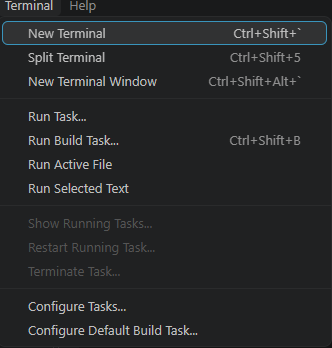
VS Code → Terminal → New Terminal
On Windows the shortcut is Ctrl+Shift+` (the key under Esc, next to 1). macOS is usually Ctrl+` or the same menu.

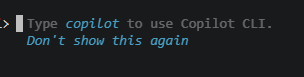
You may see Copilot first. That is not Grok.
Two parallel doors
PROJECT.md is the brain either way. The adapter is the nameplate. You are the authority.
Whoever you launched, say this
Read PROJECT.md. Do not write code yet.
Write a numbered Phase 1 plan.
After each step include: what will be built, how I will test it, and any command.
Wait for my approval.
A plan. Not a pile of new files. If it starts editing immediately, stop it and paste the prompt again.
What did I just do?
You told the agent to read the project brain and wait. That is you remaining the builder.